How to write AI prompts: examples you can actually use
Write clearer AI prompts with three everyday examples, a table for fixing weak answers, and a checklist for checking facts before you use the result.


On this page
- Start with the task, the facts and the format
- Use a short template, then leave out what you do not need
- Example 1: write an email without inventing details
- Example 2: turn notes into a checkable action list
- Example 3: compare only what the information supports
- Fix the specific problem in the answer
- Check the facts separately from the writing
- Before you use the answer
Start with the task, the facts and the format
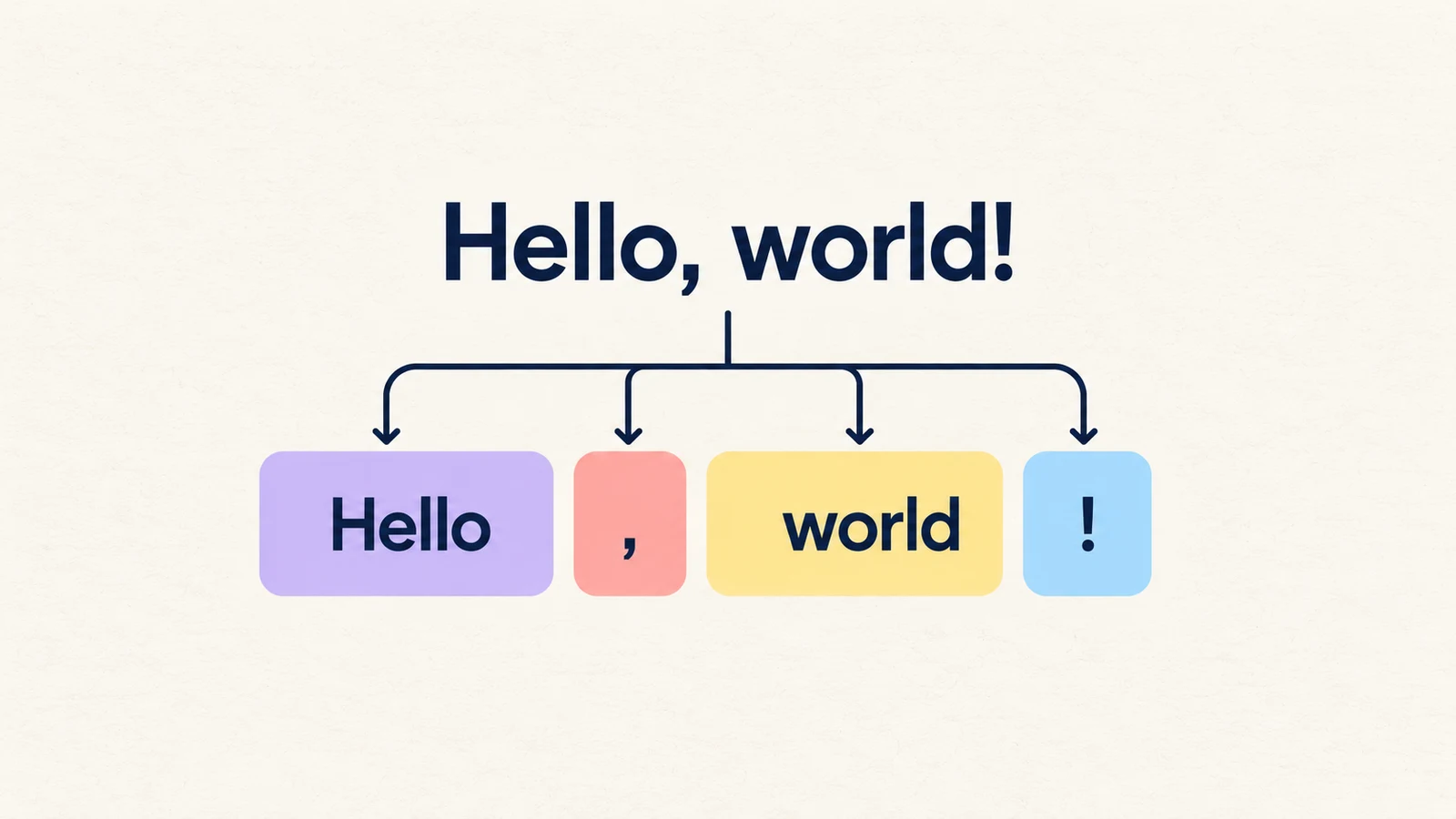
To write a useful AI prompt, say what you want done, provide the information needed to do it, and describe the answer you want back. A prompt is simply your request. You can start with a few clear sentences, then refine the response. [1] [2]
Better instructions can make an answer more relevant. They do not prove it is correct. Check important facts even when the response sounds confident and follows your format perfectly. [1] [2] [4]
Use a short template, then leave out what you do not need
Try this starting point: “Help me [task] for [audience or purpose]. Use these details: [relevant information]. Return [format and length]. Keep [important constraint]. If a required detail is missing, ask me before filling it in.” [1] [2] [3] [5]
For a simple rewrite, the task and the text may be enough. Add an example if you need a particular tone or layout. For a complicated job, ask for an outline or one part first, review it, then continue. [3] [2] [5]
Example 1: write an email without inventing details
Use these fictional examples as starting points for your own requests. A vague request such as “Write an email about our workshop” leaves the audience, details and purpose unspecified. [2] [3]
A clearer prompt: “Draft a friendly invitation to a free beginner photography workshop for our neighbourhood group. Facts: Saturday at 10 a.m.; 45 minutes; at the community hall; bring a phone or camera. Keep it under 90 words and include a subject line. The calendar date and booking link are not confirmed. Ask me for them before writing the invitation.” [2] [3]
What to check: did it ask for the missing details? Does the eventual invitation preserve the time, duration, location and equipment? A plausible-looking date or booking link is a mistake, not a helpful extra. [6] [2] [3]
Example 2: turn notes into a checkable action list
Instead of “Summarize this meeting,” give the notes and the exact job: “Turn these notes into a table with Task, Owner and Deadline columns. Use only the notes. Write ‘not stated’ when a detail is missing. Notes: Maya will send the draft agenda by Thursday. Leo will book the room; no deadline was agreed. We still need someone to arrange captions.” [2] [3]
Check the table against those three sentences. Maya has a Thursday deadline; Leo does not. The captions task has no assigned owner or deadline. Asking for “not stated” gives the tool a way to represent missing information, but you still need to verify that it did so. [5] [2] [3]
Example 3: compare only what the information supports
“Which phone plan is best?” leaves too much open. For a more useful comparison, provide your requirements and the facts you want considered. These plans and prices are fictional. [2] [3]
Try: “Compare two monthly phone plans for someone who uses about 8 GB of data. Plan A: 5 GB for $9. Plan B: 15 GB for $17. Both list unlimited domestic calls. Make a three-column table showing the feature and each plan. Then explain which listed data allowance covers 8 GB. Do not guess speed, coverage, fees or what happens after the allowance runs out.” [2] [3]
Check that the answer distinguishes the supplied allowance from everything still unknown. Plan B’s listed 15 GB covers 8 GB; that alone does not establish that it is faster, has better coverage or is the best purchase. [5] [2] [3]
Fix the specific problem in the answer
Read the response before making your prompt longer. Is the problem missing context, the wrong presentation, or an unsupported claim? Use the matching revision below, then check the next response. These are suggested follow-ups, not guaranteed fixes. [1] [6]
| What went wrong | Try this follow-up | Check afterwards |
|---|---|---|
| Too generic | “Focus on a beginner doing this for the first time. Give one concrete example.” | Does the example answer your actual question? [3] [1] |
| Too long or poorly arranged | “Keep the same facts. Use five bullets, one action per bullet.” | Did anything important disappear? [1] [5] |
| Wrong tone | “Use friendly, direct language. Keep the names, dates and commitments unchanged.” | Did the rewrite alter meaning? [3] [1] |
| Invented or unsupported details | “Show which supplied fact supports each conclusion. Mark missing information as unknown.” | Compare each claim with the original; do not rely on its self-check. [4] [5] |
| Too many tasks mixed together | “First list the information you need for the comparison. Wait for my answers.” | Are the required inputs clear before you continue? [6] [2] [5] |
Check the facts separately from the writing
An instruction to “be accurate” is not a fact-check. Open any important cited source and confirm that it exists and supports the claim. For summaries, compare names, numbers and commitments with the original text. Supplying a document helps define the task, but does not guarantee that it will be read or summarized correctly. [4] [5]
Before pasting work material into a chatbot, follow your organisation’s rules and use its approved tools. Leave out private information the task does not need. For practice, use fictional details like the examples above. [5]
Before you use the answer
Use this checklist to decide whether the response is ready for your purpose. If it fails a check, correct the input or verify the source rather than accepting a more confident rewrite. [4] [6]
- The answer completes the task I actually requested. [6]
- The audience, tone and format fit where I will use it. [3]
- Names, numbers and other supplied facts have not changed. [5]
- Missing information is identified rather than silently filled in. [5] [2] [3]
- Important external facts and citations have been checked against their original sources. [4]